Google Free Calling Hub-International calling, Viber For PC, Free Conference Calls, Free Calls
Showing posts with label Viber For PC. Show all posts

Viber For PC-How To Successfully Install Viber For PC..??

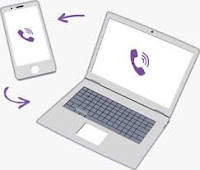
Viber For PcViber is the most favorite application for all the users who love VoIP calling because of its calling quality and services.After coming in the market Viber make lots of ripples in VoIP sea, no one can able to match up the quality and services of Viber, but the major problem is Viber is only available for Smartphone's only and don't have any app for its PC users.If a person have a PC not a Smartphone will not able to use Viber on its PC.But now he/she will be able to use Viber For PC "Viber Dev Team Thinks" because they launched the Viber for PC app but they clubbed that app with your Smartphone app, means if you don't have a Smartphone and Viber installed in it then you will not able to use the Viber on your PC.

But today i came up with my new experiment through which you should able to use Viber for pc app on your all PC and Laptop's and able to enjoy the best calling experience with your friends and relatives.


Viber For PC-Finally Viber Launches Its Viber For PC & Viber For Mac Apps

Viber for pc and Viber for Mac app lets you make free international calls to all around the world to all other viber users.Viber is an app which becomes very famous in the VoIP industry but the major problem is that at past Viber is not available for Windows PC and for Mac, but we always try to find some way out to let you use Viber on your PC's and we succeed also because of Bluestacks app player which allows you to run Viber for Android in your PC.

But now you don't have to worry about how to install Viber for pc app in your PC or Mac, because now Viber finally launches its official Viber for PC and Viber for mac applications.Now every one who have a PC or a Mac book but don't have a Smartphone then also you able to use Viber on your PC without any hassle and worries.

Apps That Lets You Make Free International Calls Around The Globe

free international callsMaking free international calls is mouth watering itself because making international calls through our regular carrier's number is really very expensive but making alls through VoIP (Voice Over Internet Protocol) Apps lets you make not cheap, free international calls all around the world and the calls are unlimited.These apps uses your Internet or broadband for transmitting your Voice to other end.For making unlimited free international calls to all around the world from these apps you have to download the app in your PC or your Smartphone and the other whom you want too call also have the same app only when the free call is possible.

And if you want to make calls on their regular number then these apps provides you cheap international calls to all around the world.And allows you to save you lots of money every month.

Viber For PC-Download Viber On PC For Making Free Calls

Viber for PCViber for PC is an app that can be used for making free international calls all around the world between two viber users. Viber users can also able to send free text messages to all other Viber users, they can also able to send Pictures, videos, files and lots more.But the biggest problem is that Viber is officially launched for iPhone, Android Phones, Windows Phones and For Blackberry phones, not for Windows PC or MAC.The users of Viber is increasing day by day and everyone wants to talk with their friends for free.

However, a lot of people wants to have Viber on their PC which doesn't seems to be a easy job but just for our readers we found a way to get Viber for PC now.

Viber For PC-Make Free International Calls From Your PC Using Viber For PC

Viber for PCViber is catching the VoIP lovers like a fire lots and lots of peoples start using Viber every day just because of the calling quality, simplicity and hassle free user interface.Viber becomes World's largest VoIP service provider app but unfortunately Viber is available only for Smartphone's not PC's.And in Smartphone's only iPhone and Android Smartphone's have the access to make international calls by using Viber and all other phone's like Nokia, Window's phones, Blackberry only able to send text messages.And there are no PC app of Viber launched officially for all those who doesn't have Smartphone.

If you search over the Internet you will find lots of tutorial in which you will find that how you able to install Viber on your pc for making international calls, but none of the tutorial works perfectly, we also already have many tutorials on our blog but in many cases the calls are not possible.

Viber For PC-Frequently Asked Questions And Their Solutions

Viber is a multi-platform VoIP application which offers you free calls and free text messages to all around the world.Viber is available for iPhone, iPad, iPod Touch, Android Smartphone's and Tablets, Blackberry, Window's Phone and now Viber For PC and Mac.Although officially Viber is not available for PC or Mac but as we posted already using the Android Emulator your will able to install Viber on your PC and and start using all the benefits of Viber app like free international calls and send free international text messages to all your friends also using Viber.It doesn't matter you are in India, Nigeria, Pakistan and wherever in the world you will still able to make free international calls to all your friends who also installed Viber on their Smartphone or on their PC.

Viber Is Perfect Alternative Of Skype And Google Voice

Viber for PC
Viber for PC is a new VoIP software for PC's and Mac's which lets you make Unlimited free Local Long distance and International calls to all around the world to all other Viber users without having any international calling charges or roaming charges.All you need to install the Viber app on your PC and a good internet connection and all done.For calling from Viber you doesn't need any calling card or phone card like your old phone carrier's (At&T, T-Mobile And Verizon).You can also able to send Unlimited free text messages to all your friends across the world who have installed Viber on their PC or Smartphone.By the way Viber is not available for PC or Mac till now but we found a road which gives us a trick through which you able to install the Viber app on your PC and Mac and this trick helps Viber to stand in front of Skype and Google Voice as an alternative.

Make Unlimited Free Calls From Viber App On Your PC/Laptop And Smartphone's

Viber For PC/Laptop & Blackberry
From the launch of Viber app in the market it creates ripples in the VoIP sea and becomes the most desired free calling and texting VoIP app for Smartphone's. Viber is the first app who started providing unlimited free calls and free text messages all around the world without any type of Advertisements. The calling eminence of Viber app is very fascinating and clear such that there is no disturbance and eco noise in between the call . The delivery of text messages is instant and that's why Viber becomes the most desired VoIP app for of the people. But the major problem is that in initial stage the Viber app approaches only for iPhone, iPad and iPod touch. So all other Smartphone users won't be able to use it. But, later the app comes for Android users also with all its payback.

Viber For PC-Make Unlimited Free Calls From Your PC/Laptop By Using Viber App

Viber For PC app allows you to make free international calls to all your Viber friends direct from your Viber For PC App.After coming the Viber for Mobile the app becomes most favorite app for all Smartphone users for international calling.All those peoples who don't have a Smartphone but have a PC/Laptop also wants to use Viber but all these are not get the success because Viber doesn't have the Viber for PC app.Later Viber launches many apps for iPhone, Android, Window's Phone and for Blackberry and now the Viber app becomes necessary for all PC/Laptop users for international calling.If you search Google for downloading the Viber for PC or Viber on Laptop you will find lots of tips and tricks over the internet which gives you surety that you will able to use the Viber app on your PC but all fails.

Make Free Calls From Your PC/Laptop Using Viber App On YouWave

Friends if we have Smartphone's then we able to enjoy the every single moment of Life and if we don't then we miss all those moments which our friends enjoying with Smartphone's by calling each other and texting each other for free.All Smartphone's users who have a big friends group in all around the world will always use Viber App on their Smartphone's because this is the only app which gives you free calls and free text messages to all around the world.But if you don't have Smartphone then you not able to enjoy these happy moments.But not Now, However we found a new method to get you Viber for PC with the Same functionality like an Viber App on Android Device.Hold on this tutorial is not same like other tutorials available online on many sites.

We are giving you much better method of Downloading the viber for pc in just 5 minutes and hassle free, you don't have to do all the messy things and lots of steps this tutorial will contains only 3 to 5 step by step method.We done all the things in just 5 minutes and we also posted the video of all the things necessary for this download..

Make Unlimited Free International Calls From Your PC/Laptop With Viber App

Viber is a Very good app for international calling to anyone anywhere in the world.If any of your friend stays anywhere in the world and have Viber app in their smartphone then you will able to make Unlimited free calls and able to send Unlimited free text messages to them.Some time ago we posted an article in which we mention that Viber launches their Viber for Android app for making free international calls from your Android Smartphone.And after that Viber team told us that they are going to launch their Viber app for Blackberry.They released some pics of their app on Blackberry, but no one didn't get the exact release date yet.But today we are going to talk about how you able to run Viber app on your PC/Laptop.

Viber don't launches their App for Windows yet then also you able to install the Viber app on your pc/laptop and able to make Unlimited free international calls to anyone anywhere in the world.Here our team found a trick through which you able to install Viber app in your PC/Laptop, without this trick you don't able to get the Viber app for your windows device because Viber Dev team didn't release their Windows app till now.